When people in chronic pain communities are asked which tracker app they use, some answer that they went back to a notebook. Others would not give up their app. Both groups keep a pain journal that works for them, and that is the point. This guide compares the three common ways honestly, so that you can pick the one you will keep.
Pen and paper
What is good about it: it is always there, it needs no battery and no account, and it never asks more questions than you want to answer. You can design it yourself: one line a day, a mark on a wall calendar, or a table with four columns. Nobody else holds your data.
What is hard: the looking back. Before an appointment, somebody has to count the pain days, the average strength and the painkiller days by hand. That often does not get done, and then the journal is handed over as thirty pages nobody reads. Paper also has no clock, so lengths and times are only as good as your memory, and it is not with you when pain starts on a train.
A notes app
What is good about it: the phone is always in your pocket, every note has a time, and you can dictate an entry when writing is too much. It costs nothing.
What is hard: it is still free text. Counting is as slow as on paper, and entries tend to drift: long on good days, missing on bad ones. One fixed line per entry helps a lot.
A pain tracker app
What is good about it: it keeps the time and works out the length, it turns ticks into counts, and it can build a one-page summary for your doctor. Some let a family member keep the record for you, or let you make an entry from a watch.
What is hard: many apps ask too much. A daily check-in with a dozen questions feels like homework and is dropped after two weeks. An app can also change its price or stop being updated, so check that you can get a report or an export out of it.
How to pick
- Use the worst-day test. Whatever you choose, could you make an entry on your worst day of last month? If not, it is too heavy.
- Think about the appointment. If you see a doctor often and need numbers each time, an app pays for itself in saved counting. If you only want to see roughly how the month went, a calendar with marks does it.
- Think about who writes. If someone else keeps the journal for you on bad days, or you keep one for a child or a parent, choose something you can share.
- Mixing is fine. Some people make a mark on paper during the day and enter it in an app in the evening.
Either way, start with the same three things
When it started, how strong it was, and how long it lasted. Everything else can come later. Our guide on keeping a pain diary you will actually keep explains why, and pain tracker apps compared looks at the apps people recommend.
How Pain Tracker does it
We built Pain Tracker, the Family Health app, to get as close to a pencil mark as an app can: one tap on Headache, Migraine or Pain when it starts, one tap on End. Details are ticks you can add later or leave out. In return the app does what paper cannot: it counts the days, works out the usual strength and length, and puts them on one page for the doctor.
Coming in version 2.0. The screens below are from version 2.0, which is on its way to the App Store. Update the app once it appears.
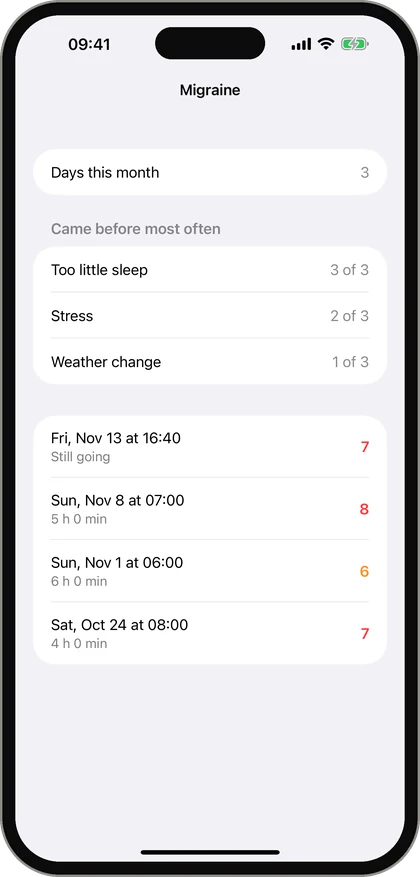
If paper works for you, keep it. A journal you keep is better than an app you gave up.
Questions people ask
Is a paper pain journal as good as an app?
For writing things down, yes. An app saves time when you look back, because it counts days and works out averages. The better one is the one you keep using.
What is the simplest way to keep a pain journal?
One line per event: the date and time, a number from 0 to 10, and how long it lasted. A wall calendar or a small notebook is enough for that.
Can I use the notes app on my phone as a pain journal?
Yes. It is always with you and has a time on every note. Keep to one fixed line per entry so that you can count them later.
Can I switch from paper to an app later?
Yes. You do not need to type in old entries. Keep the paper pages for the appointment and start the app from today.
This article is general information about keeping a record. It is not medical advice and does not replace your doctor. If your pain is new, sudden, severe or changing, see a doctor; in an emergency call your local emergency number.